New MediaElch Docker Image
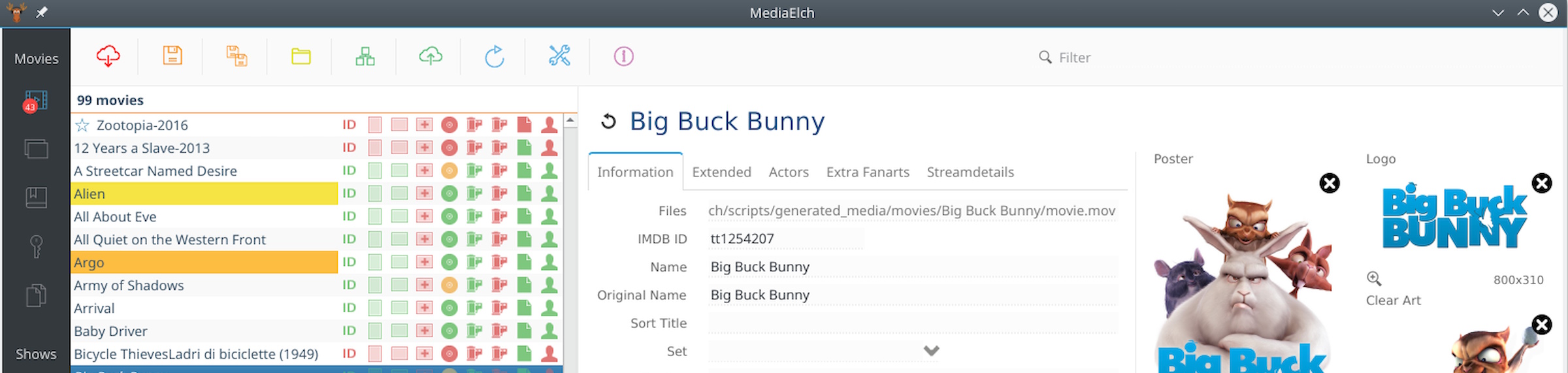
MediaElch is a MediaManager for Kodi. Information about Movies, TV Shows, Concerts and Music are stored as NFO files. Fanarts are downloaded automatically from fanart.tv.
Why a new MediaElch Docker image?
Simple really. I wanted a lightweight Docker image to help catalog my growing media collection, which I’ve recently been expanding using Music Magpie, which can be accessed through amodern web browser, requiring no installation or configuration on the client.
I did have it running on my Windows PC but my preference is to have it run on my Media Server without requiring a full desktop.
I tried the linuxserver.io image and Frank Riley’s image but at this time both of these are broken due to bug 1992.
This version runs on Alpine and patches the bug 1992.
Docker
Available on DockerHub
docker pull alandoyle/mediaelch
Usage
docker run --name=mediaelch \
  -d --init \
  -v <MY_CONFIG_PATH>:/config \
  -v <MY_MEDIA_PATH>:/media \
  -p 80:8080/tcp \
  -p 5900:5900/tcp \
  alandoyle/mediaelch:latest
Docker compose example:
---
services:
  mediaelch:
    image: alandoyle/mediaelch:latest
    container_name: mediaelch
    restart: unless-stopped
    init: true
    ports:
      - 80:8080  # If you want to go mediaelch through a browser
      - 5900:5900  # If you want to use a VNC client instead of the browser
    volumes:
      - /Storage/Incoming:/media
      - ./config:/config
    environment:
      - RESOLUTION=1600x900 # Change resolution (default: 1366x768)
      # - VNC_PASSWORD=8charpwd
    restart: always
    shm_size: "1gb"
Ports
| Port | Description |
|---|---|
8080/tcp |
NOVNC HTTP Port |
5900/tcp |
VNC Port |
Volumes
| Path | Description |
|---|---|
/config |
path for MediaElch configuration files |
/media |
path for MediaElch media files |
Conclusion
A simple, lightweight Docker image running “just enough” X-Windows to run MediaElch. Perfect for my needs.
Hopefully, somemone else will find this image useful too.

Written by Alan Doyle
June 19, 2026.